
What it is
The Code Review Plugin automates pull request review. It launches multiple agents in parallel, and each one independently audits the changes from a different perspective. Confidence scoring then filters out false positives, so only high-quality, actionable feedback is posted. The plugin provides a single command, /code-review. By default it prints the review to the terminal. With the --comment flag it posts the review as a comment on the pull request instead. The plugin is at version 1.0.0 and its author is Boris Cherny.
When invoked, the command follows these steps:
- It first checks whether a review is needed. It skips closed, draft, trivial, or already-reviewed PRs.
- It gathers the relevant CLAUDE.md guideline files from the repository.
- It summarizes the pull request changes.
- It launches four parallel agents:
- Agents #1 and #2 audit the changes for CLAUDE.md compliance. Two agents are used for redundancy.
- Agent #3 scans for obvious bugs in the changes only.
- Agent #4 analyzes git blame and history for context-based issues.
- Separate confidence scorers rate each issue independently, one scorer per issue.
Scores range from 0 to 100:
- 0 means not confident (a false positive).
- 25 means somewhat confident (might be real).
- 50 means moderately confident (real but minor).
- 75 means highly confident (real and important).
- 100 means absolutely certain.
Issues below the 80 threshold are filtered out. For CLAUDE.md issues, the scorer verifies that the guideline explicitly mentions the problem. The plugin also filters out the following kinds of false positives:
- Pre-existing issues not introduced in the PR
- Code that looks like a bug but isn't
- Pedantic nitpicks
- Issues that linters will catch
- General quality issues, unless they are covered in CLAUDE.md
- Issues with lint ignore comments
The review output lists each issue with a short description and the reason for flagging it, such as a quoted CLAUDE.md rule or an explanation of the bug. Each issue includes a direct link to the code using the full commit SHA and a line range. Links must follow the format https://github.com/owner/repo/blob/[full-sha]/path/file.ext#L[start]-L[end], with an unabbreviated SHA and at least one line of context. The plugin uses the GitHub CLI (gh) for all GitHub work: viewing PR details and diffs, fetching repository data, reading git blame and history, and posting review comments.
You can customize the plugin by editing commands/code-review.md. To change the confidence threshold, edit the line Filter out any issues with a score less than 80. and replace 80 with any value from 0 to 100. You can also add or modify agent tasks, for example security-focused agents, performance analysis agents, accessibility checks, or documentation quality checks.
Who it's for
- Teams that want automated review on pull requests with meaningful changes
- Maintainers of repositories with CLAUDE.md guidelines who want compliance checking
- Projects with PRs touching critical code paths or coming from multiple contributors
- Teams wanting to integrate automated PR review into a CI/CD workflow
Requirements
Requirements
- A Git repository with GitHub integration
- GitHub CLI (
gh) installed and authenticated - CLAUDE.md files (optional, but recommended for guideline checking)
Setup
Use the bundled plugin
This plugin is included in the Claude Code repository. The
/code-reviewcommand is automatically available when using Claude Code.Install the GitHub CLI
Install
ghwith Homebrew on macOS. For other platforms, see the GitHub CLI installation page (https://cli.github.com/).bashbrew install ghAuthenticate the GitHub CLI
Authenticate
gh, then verify that your repository has a GitHub remote.bashgh auth login
هالبلَغِن بيضيفلك أمر `/code-review` بيراجع الـ pull request تبعك بأربع agents شغّالين بنفس الوقت. كل مشكلة بتاخد علامة ثقة، وما بيطلعلك غير اللي علامتها 80 وفوق، يعني بلا إزعاج من الإنذارات الغلط.
Examples
Command syntax
bash/code-review [--comment]What it does: Runs the review. Without --comment, output goes to the terminal only. With --comment, the review is posted as a comment on the pull request.
Example workflow
bash# On a PR branch, run locally (outputs to terminal):
/code-review
# Post review as PR comment:
/code-review --comment
# Claude will:
# - Launch 4 review agents in parallel
# - Score each issue for confidence
# - Output issues ≥80 confidence (to terminal or PR depending on flag)
# - Skip if no high-confidence issues foundWhat it does: Shows a local terminal review compared with posting the review to the PR, and summarizes what Claude does during the review.
Standard PR review workflow
bash# Create PR with changes
# Run local review (outputs to terminal)
/code-review
# Review the automated feedback
# Make any necessary fixes
# Optionally post as PR comment
/code-review --comment
# Merge when readyWhat it does: A typical flow: review locally first, fix issues, optionally post the review to the PR, then merge.
As part of CI/CD
bash# Trigger on PR creation or update
# Use --comment flag to post review comments
/code-review --comment
# Skip if review already existsWhat it does: Run the command on PR creation or update in CI, using --comment to post the review on the PR.
Related
 Skill
Skill ecc
Harness-native ECC operator layer - 71 agents, 302 skills, 95 legacy command shims, reusable hooks, rules, selective install profiles, and production-ready workflows for Claude Code, Codex, OpenCode, Cursor, and related agent harnesses
 Skill
Skill commit-commands
Commands for git commit workflows including commit, push, and PR creation
 Skill
Skill ralph-wiggum
Interactive self-referential AI loops for iterative development. Claude works on the same task repeatedly, seeing its previous work, until completion.
 Skill
Skill chrome-devtools-mcp
Control and inspect a live Chrome browser from your coding agent. Record performance traces, analyze network requests, check console messages with source-mapped stack traces, and automate browser actions with Puppeteer.
 Skill
Skill asana
Asana project management integration. Connects Claude Code to Asana's V2 MCP server to create and manage tasks, search projects, update assignments, and track progress. Requires a one-time Asana OAuth app setup — run /asana-setup after installing.
 Skill
Skill claude-code-setup
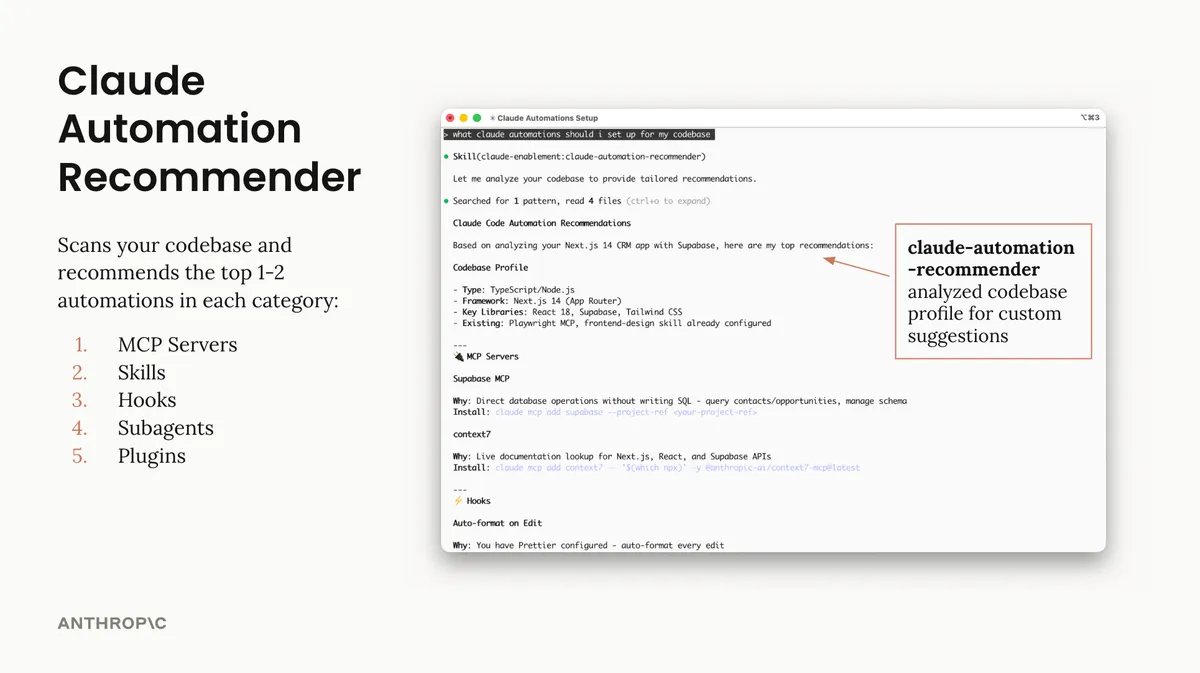
Analyze codebases and recommend tailored Claude Code automations such as hooks, skills, MCP servers, and subagents.