
What it is
SupoClip takes a long video (a podcast, a talk, a stream VOD) from a YouTube link, a Twitch or Kick VOD, or an uploaded file. It transcribes it, lets an LLM (Gemini, GPT, Claude or a local Ollama model) pick the 3 to 7 most clip-worthy segments, and scores each clip for hook, engagement, value and shareability. It then renders 9:16 clips with face-centred cropping, word-synced subtitles, an AI-written hook title and optional B-roll. A built-in editor trims, splits and merges clips, and you can post straight to your own YouTube, TikTok and Instagram accounts. It also ships an MCP server and a REST API. Run it yourself with Docker (AGPL-3.0) or use the hosted version at supoclip.com.
Who it's for
- Podcasters and streamers who cut long videos into Shorts, Reels and TikToks
- Creators who want an OpusClip-style workflow on their own machine, without watermarks
- Developers who want to drive clipping from Claude or Cursor (MCP) or from their own code (REST API)
Requirements
Requirements
- Docker and Docker Compose
- An AssemblyAI API key for transcription, or the fully local route with Whisper
- One LLM provider key (Google, OpenAI or Anthropic), or a local Ollama model
- Live streams are not supported, only VODs, clips and uploaded files
Setup
Get the code
Clone the repository and enter the folder.
bashgit clone https://github.com/FujiwaraChoki/supoclip.git cd supoclipAdd your keys
Create a .env file in the root folder. AssemblyAI handles transcription and the LLM picks the clips; both bill per use. To stay fully local, follow the Whisper + Ollama section of the self-hosting tutorial instead.
bashASSEMBLY_AI_API_KEY=<YOUR_ASSEMBLYAI_KEY> LLM=google-gla:gemini-3-flash-preview GOOGLE_API_KEY=<YOUR_GOOGLE_KEY>Start it
The first start takes a few minutes. Then open http://localhost:3107, create an account and paste a video link. The API runs on port 8000 with docs at /docs.
bashdocker-compose up -d docker-compose logs -f
Examples
Clip a podcast episode
PromptPaste a YouTube link to a full podcast episode, pick a caption template, and let SupoClip return 3 to 7 vertical clips with scores.Expected output: Start with the highest hook score, trim it in the built-in editor, then export with the Shorts, Reels or TikTok preset.
Use it from your AI agent
PromptUse the SupoClip MCP server to make clips from this video and list them by virality score.Expected output: The mcp/ folder of the repo holds the MCP server for Claude, Cursor and other MCP clients.
Pros & cons
Pros
- Pro:Open source (AGPL-3.0) and self-hostable, with no usage cap on your own hardware and no watermarks (per the README)
- Pro:Full pipeline: clip picking, four-part virality score, face-centred 9:16 crop, word-synced subtitles, hook titles, optional B-roll
- Pro:Built-in editor plus direct posting to your own YouTube, TikTok and Instagram
- Pro:Choose your LLM: Gemini, GPT, Claude or a local Ollama model; MCP server and REST API included
- Pro:Very active: about 3,200 GitHub stars and daily commits at the time of writing
Cons
- Con:Self-hosting needs Docker plus an AssemblyAI key and an LLM key, and those bill per use, unless you set up the fully local Whisper + Ollama route
- Con:AGPL-3.0: if you change it and offer it to others as a service, you must share your source code
- Con:OpusClip also has a free plan ($0, 60 credits a month; Pro is $29 a month on its pricing page, read 2026-11-15), so the saving depends on how much you clip
- Con:Clip quality depends on the LLM and the transcript; FoxaMind has not tested it on real episodes
Images
Related
shaongitbd/doory
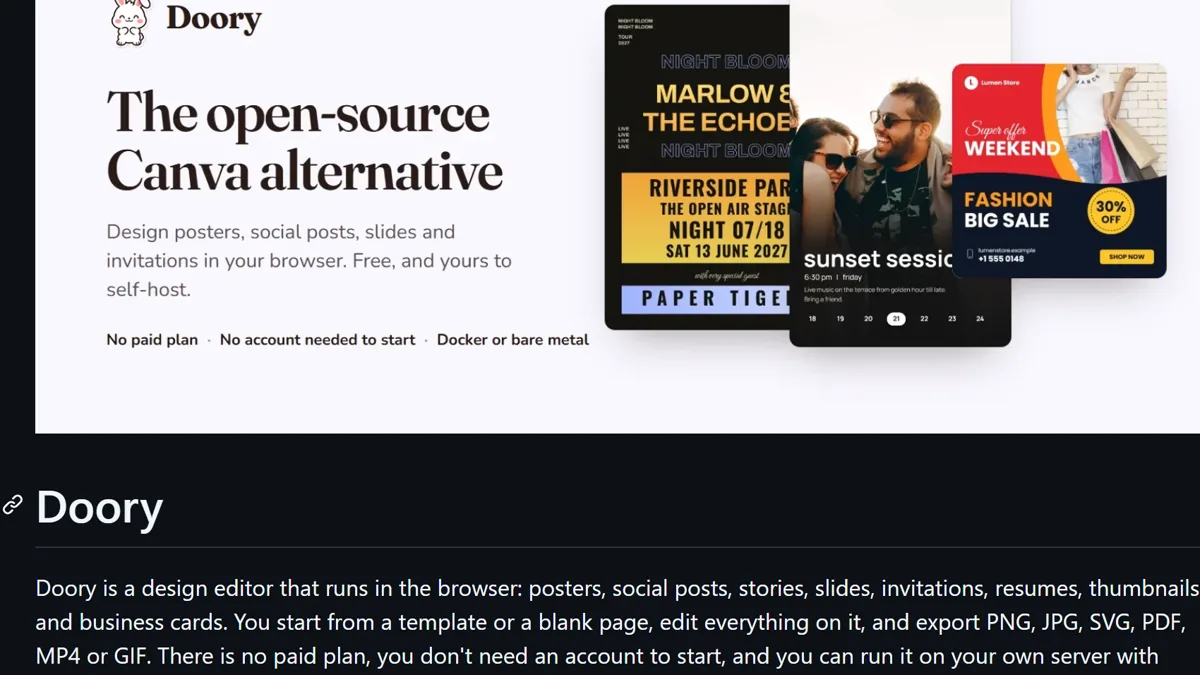
Doory: a free, open-source Canva alternative that runs in the browser (posters, posts, slides, resumes, thumbnails; export PNG, PDF, MP4, GIF). No paid plan, no account to start, self-hostable, with an MCP server so Claude or Cursor can create and edit designs.

Comfy-Org/ComfyUI
The most powerful and modular diffusion model GUI, api and backend with a graph/nodes interface. The fastest local inference engine in the world.

harry0703/MoneyPrinterTurbo
利用 AI 大模型和自动化工作流,根据主题或关键词一键生成高清短视频。Generate HD short videos from a topic or keyword with an automated AI workflow.

Anil-matcha/Open-Generative-AI
Unrestricted Open-source alternative to AI video platforms — Free AI image & video generation studio with 600+ models (Flux, Midjourney, Kling, Sora, Veo). No content filters. Self-hosted, MIT licensed.

hypit-ai/hypit
Clone any viral video with AI agents. Not just a script, the whole workflow: swap the face, the words, the B-roll, ship 100 variants in one command, and get your 100M views.