
What it is
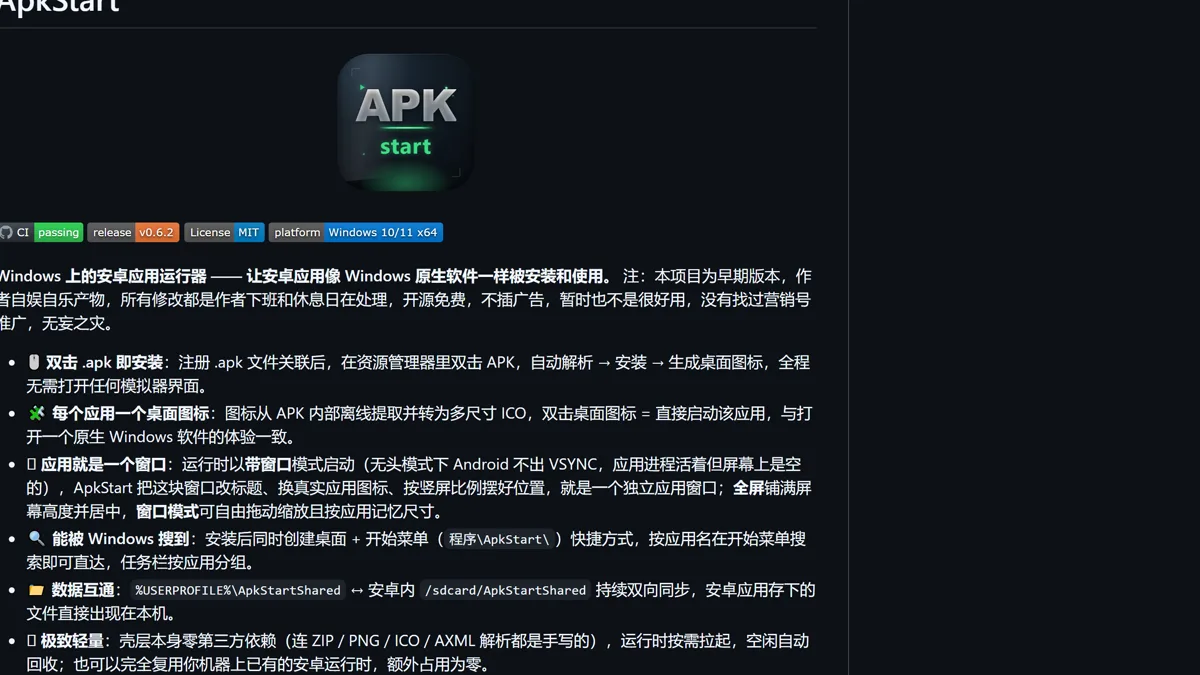
ApkStart is a Windows app by RoutineMiku that makes Android apps behave like normal Windows programs. After you link .apk files to it, a double-click in File Explorer reads the APK, installs it and creates a desktop shortcut with the app's own icon. No emulator screen is shown. Each app opens in its own window, full screen or resizable, and gets a Start-menu entry, so Windows Search finds it by name and the taskbar groups it. A shared folder, ApkStartShared in your user folder, syncs both ways with the Android side, and Android uses your PC's network without adding a virtual network adapter. Under the hood it runs the official Android Emulator with an Android 14 Google Play x86_64 system image, downloaded from Google's servers; ApkStart hides the emulator window and keeps a snapshot so later starts are faster. The README measures a cold start of about 23 seconds and about 10 seconds from a snapshot. An ARM compatibility mode lets apps with only ARM code run, though apps with strong anti-emulator checks may still fail.
Who it's for
- Windows users who need an Android-only app on their PC
- People who used the Windows Subsystem for Android and want a replacement
- Testers who want an APK in its own window without opening an emulator
Requirements
Requirements
- Windows 10 or 11, 64-bit
- Hardware virtualization (VT-x or SVM) with Windows Hypervisor Platform or Google's AEHD driver; without it, starts take minutes
- About 1.35 GB to download (Setup), more disk once the system image is unpacked
- Reading Chinese helps: the interface has no English yet
Setup
Download
Get ApkStart-<version>-Setup.exe (about 1.35 GB, everything included) or the 97 MB portable zip from the GitHub releases page. The portable one downloads the runtime on first start.
Turn on hardware acceleration
The environment check offers a Fix button: one admin prompt turns on Windows Hypervisor Platform, or installs Google's AEHD driver instead. Turning on the Windows feature needs a restart.
Install an app
Double-click an APK you trust in File Explorer or drop it on the ApkStart window. It installs, extracts the app's icon and creates desktop and Start-menu shortcuts.
Check the defaults
ApkStart starts with Windows, sits in the tray and warms Android in the background (about 1 GB of RAM). Turn these off in Settings if you don't want them.
Examples
Command line
CodeApkStart.exe # open the main window
ApkStart.exe C:\path\to\app.apk # install an APK
ApkStart.exe --launch <package> # start an installed appPros & cons
Pros
- Pro:Free and open source (MIT)
- Pro:Android apps get their own icon, window and Windows Search entry
- Pro:Uses Google's official emulator and an Android 14 image, with an ARM compatibility mode
- Pro:No virtual network adapter; a shared folder syncs files with your PC
Cons
- Con:Early hobby project; the author says it is not very easy to use yet
- Con:Interface in Chinese only (English pull requests not merged as of v0.6.2)
- Con:Starts with Windows and keeps about 1 GB of RAM by default
- Con:Grants every runtime permission an app asks for, so install only APKs you trust
- Con:Large: about 1.35 GB to download, and one user reports 10+ GB left on C: after uninstalling
Related
anefzaoui/misterdownloadmanager
Mister Download Manager: a free, open-source download manager in Rust with the familiar IDM-style window, segmented downloads, resume, browser extension, video, torrents, a scheduler and an MCP server.
affaan-m/ECC
The agent harness performance optimization system. Skills, instincts, memory, security, and research-first development for Claude Code, Codex, Opencode, Cursor and beyond.

firecrawl/firecrawl
Supercharge your AI agents with data from the web and beyond. Building the library for superintelligence. 🔥

DietrichGebert/ponytail
Makes your AI agent think like the laziest senior dev in the room. The best code is the code you never wrote.

farion1231/cc-switch
A cross-platform desktop All-in-One assistant for Claude Code, Codex, OpenCode, OpenClaw, Grok Build & Hermes Agent. Only official website: ccswitch.io